
Platform Features
Optimize your procurement processes with the powerful features Tenflex offers.
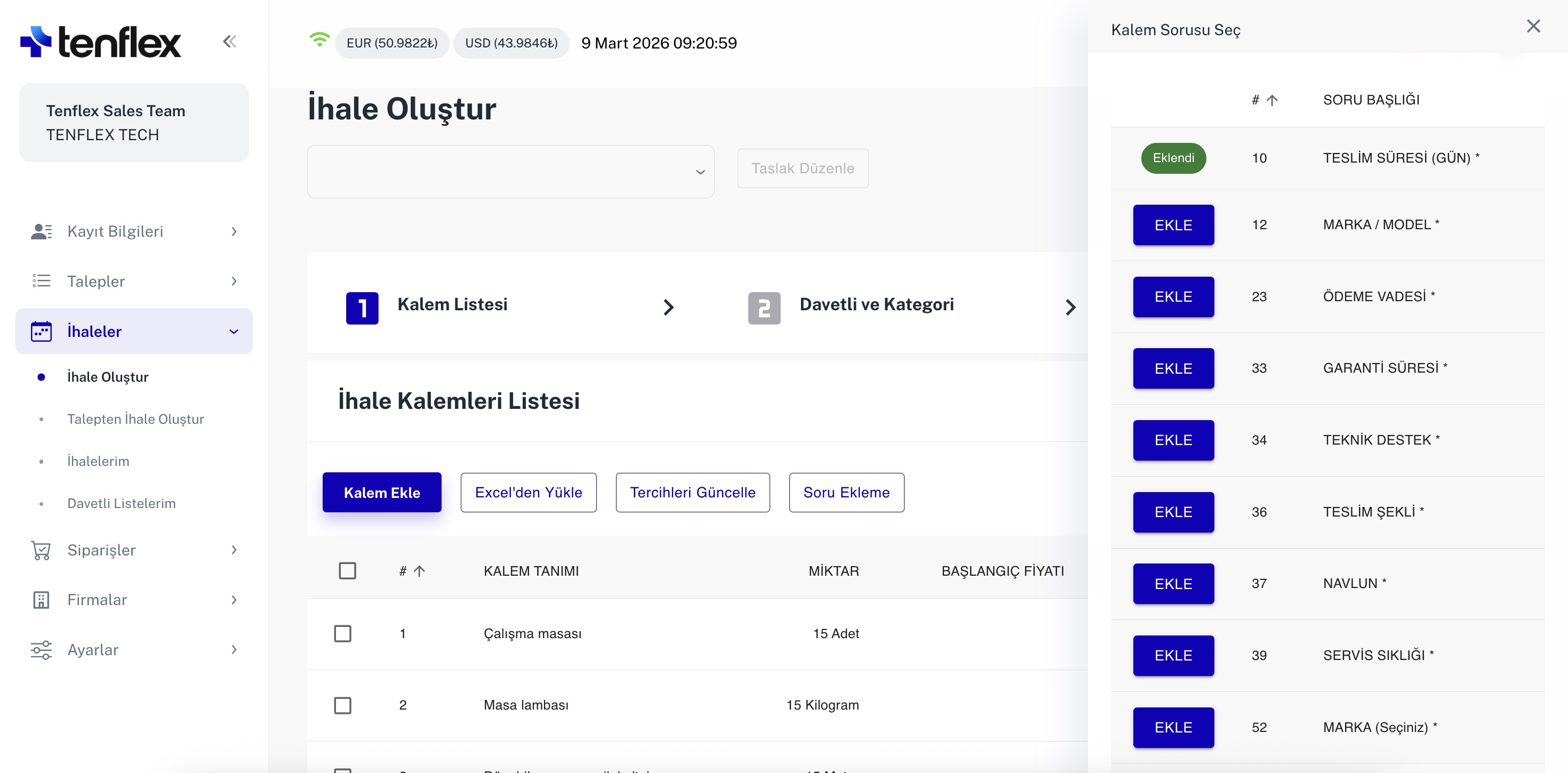
Tender & Item Questions
Add questions to the whole tender or to individual line items. Ask suppliers for delivery times, brands, warranties and payment terms. Make answers mandatory to compare complete offers against the same criteria.
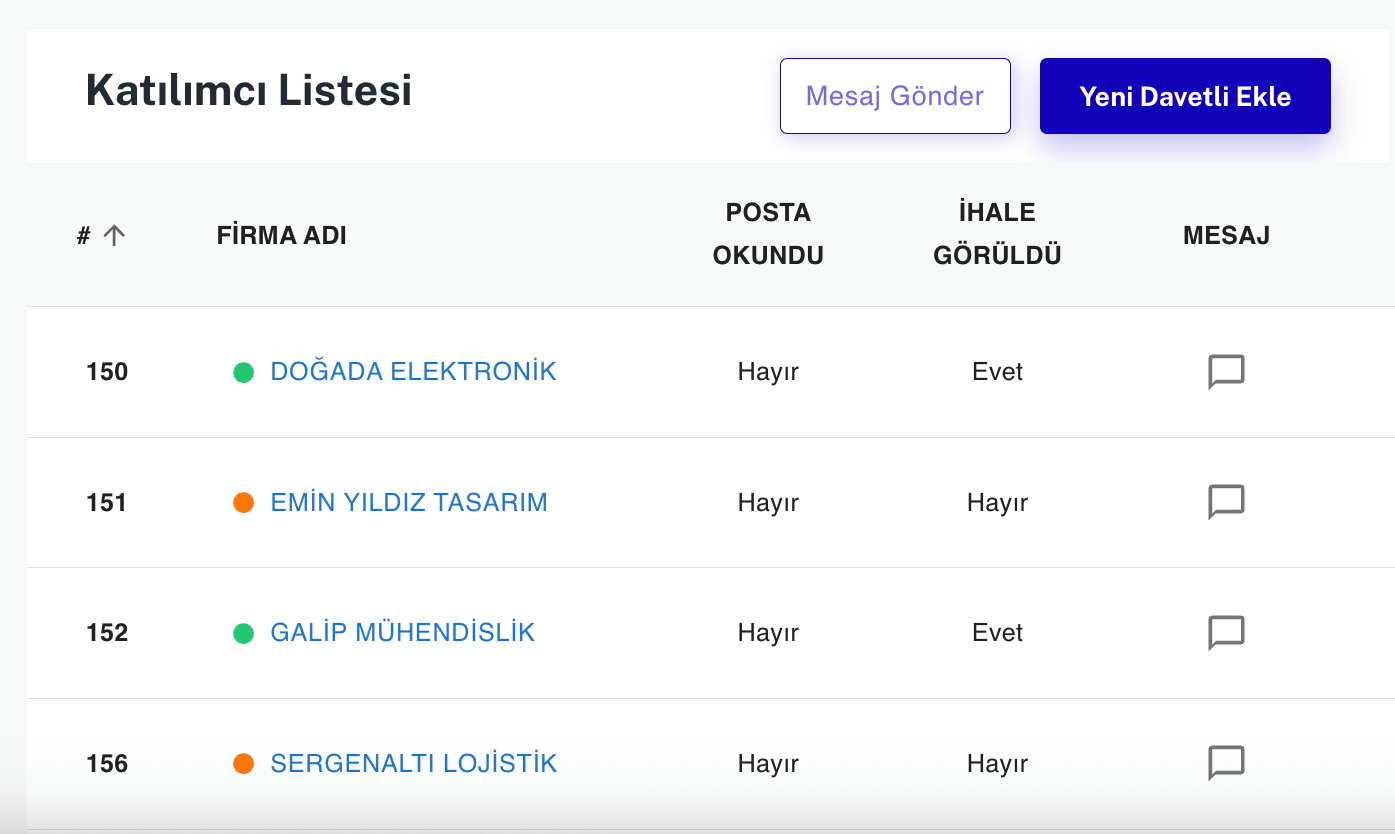
Supplier Messaging
Communicate with suppliers directly through the platform during the tender. Send questions to the relevant company, share files and keep every conversation connected to its tender.
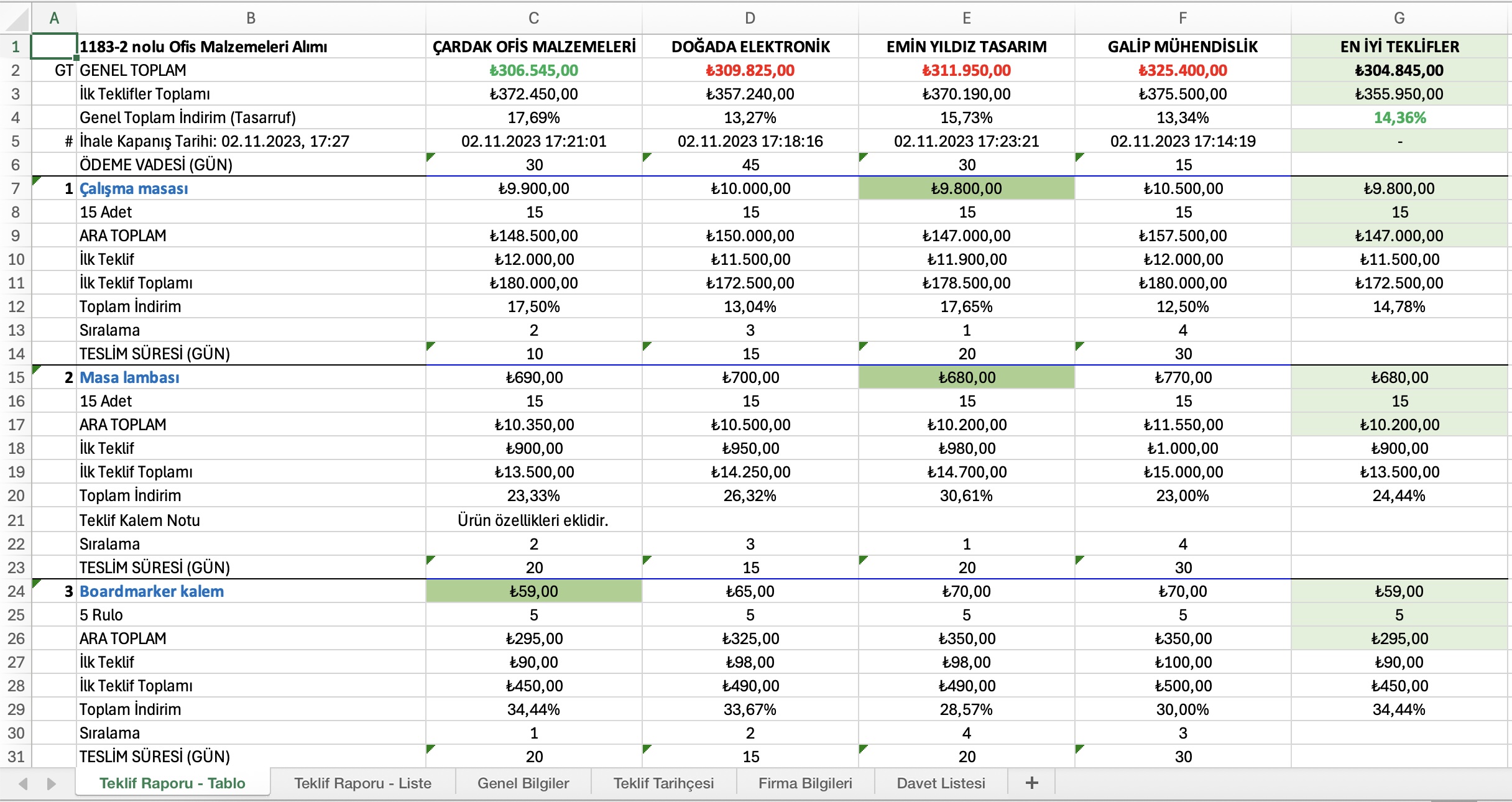
Reports & Analytics
See supplier offers, line-item prices and savings in one report. Compare initial and final quotes, and evaluate answers such as delivery times and payment terms alongside prices to support your procurement decision.
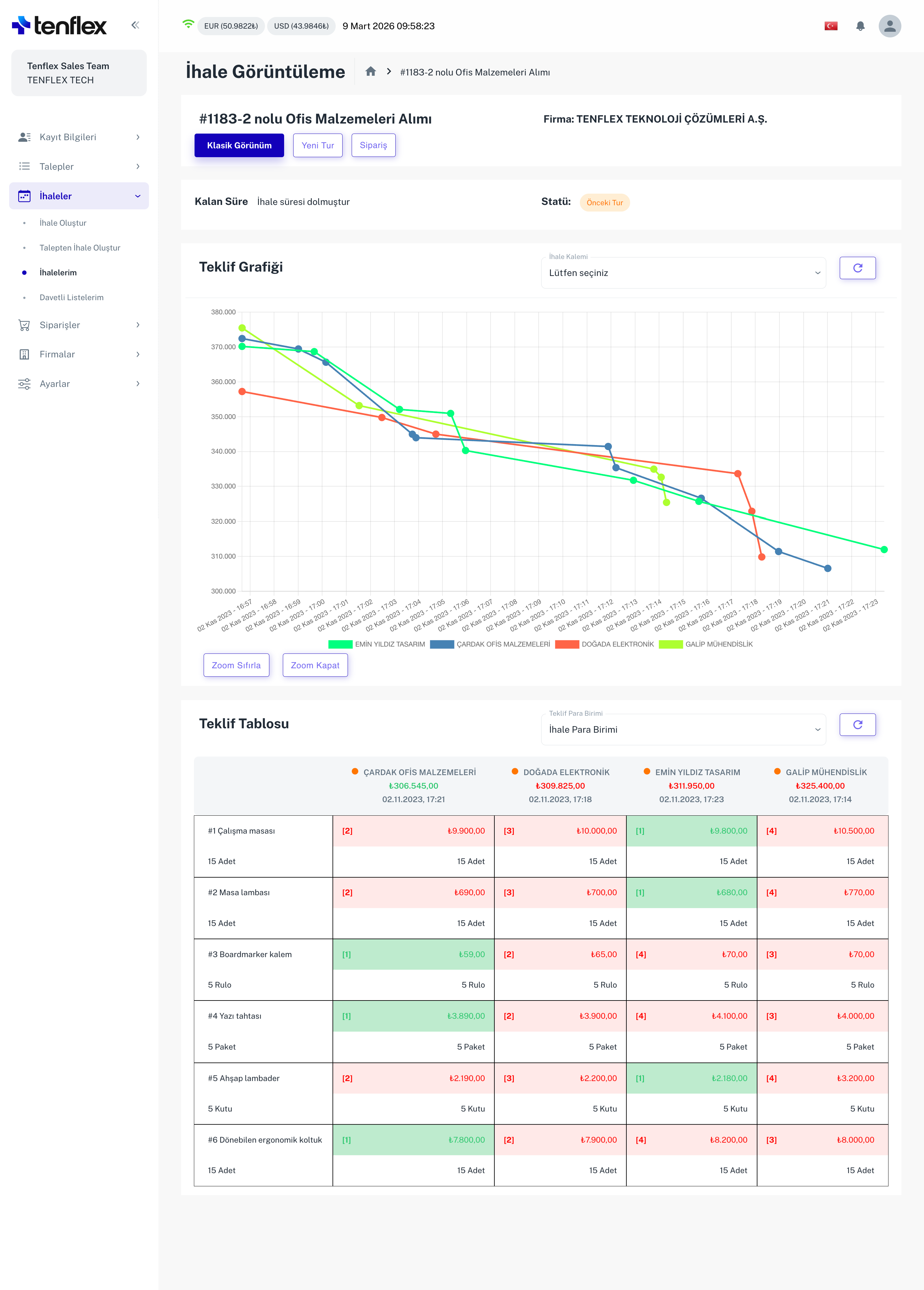
Tender Charts
Follow how quotes change throughout a tender. Compare suppliers’ price movements on the same timeline and track the progress of bids for individual line items.
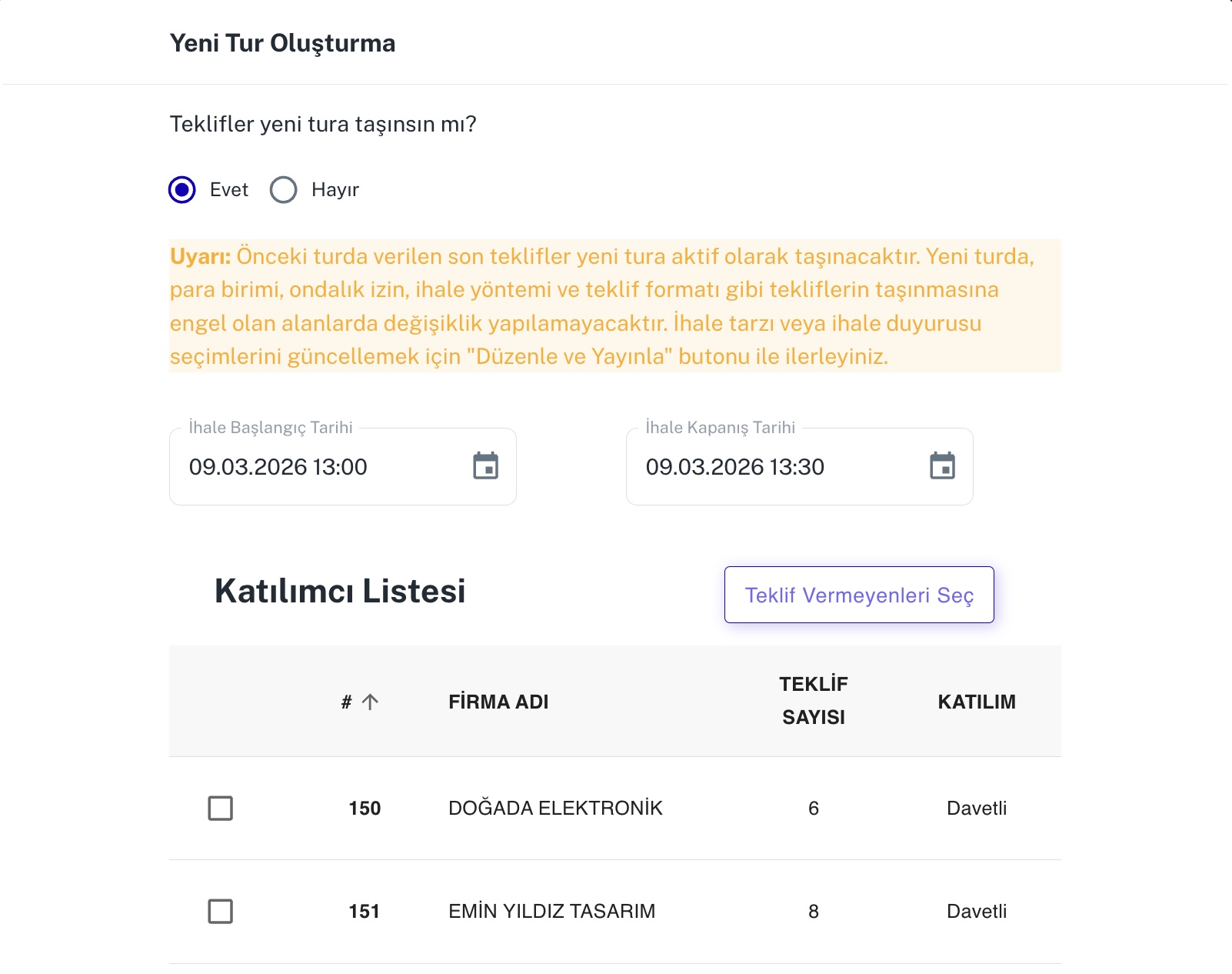
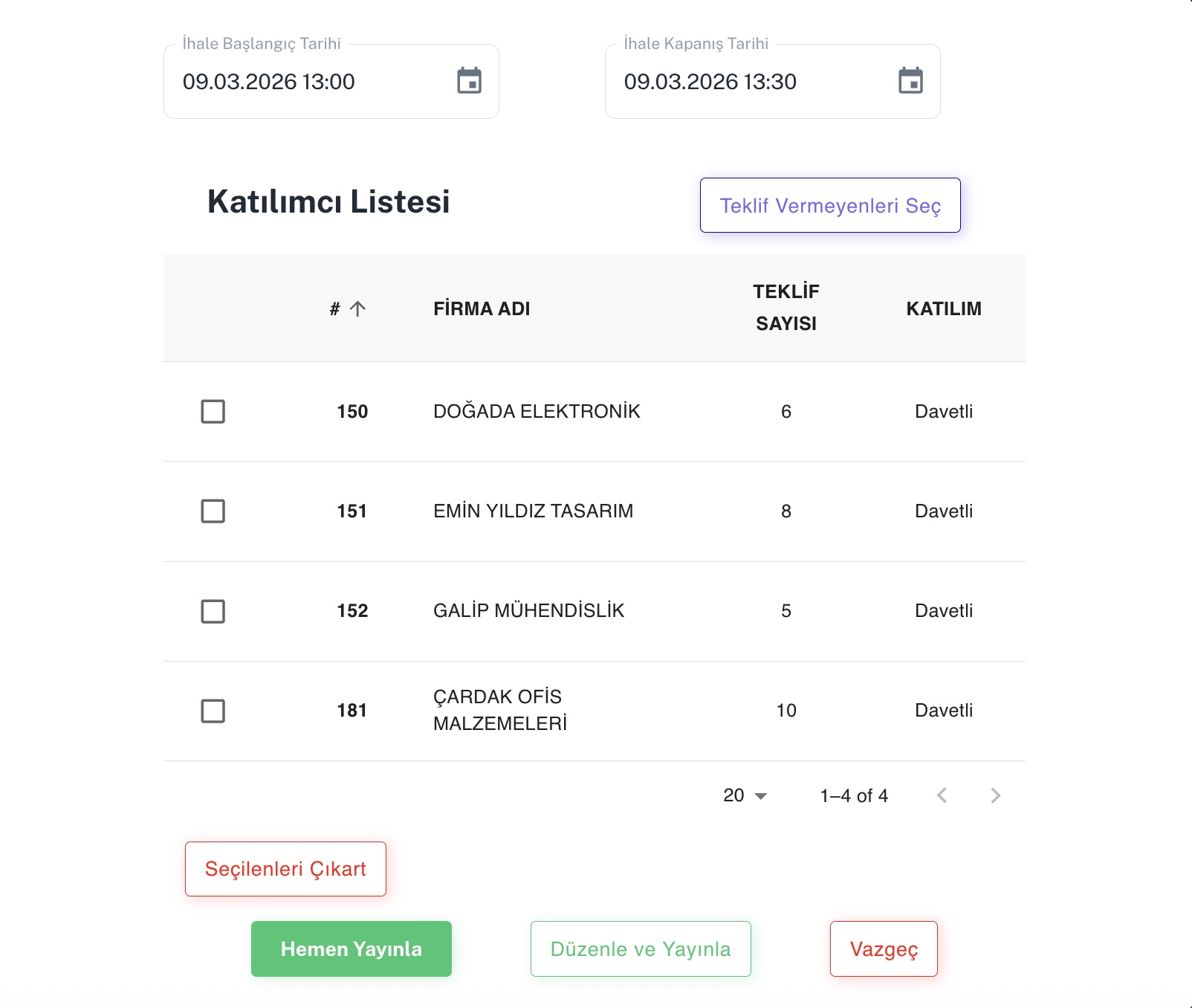
One-Click New Round
Open the new-round screen directly from your existing tender. Choose whether to carry over previous quotes, set the dates and select participants to continue your sourcing process with another round.
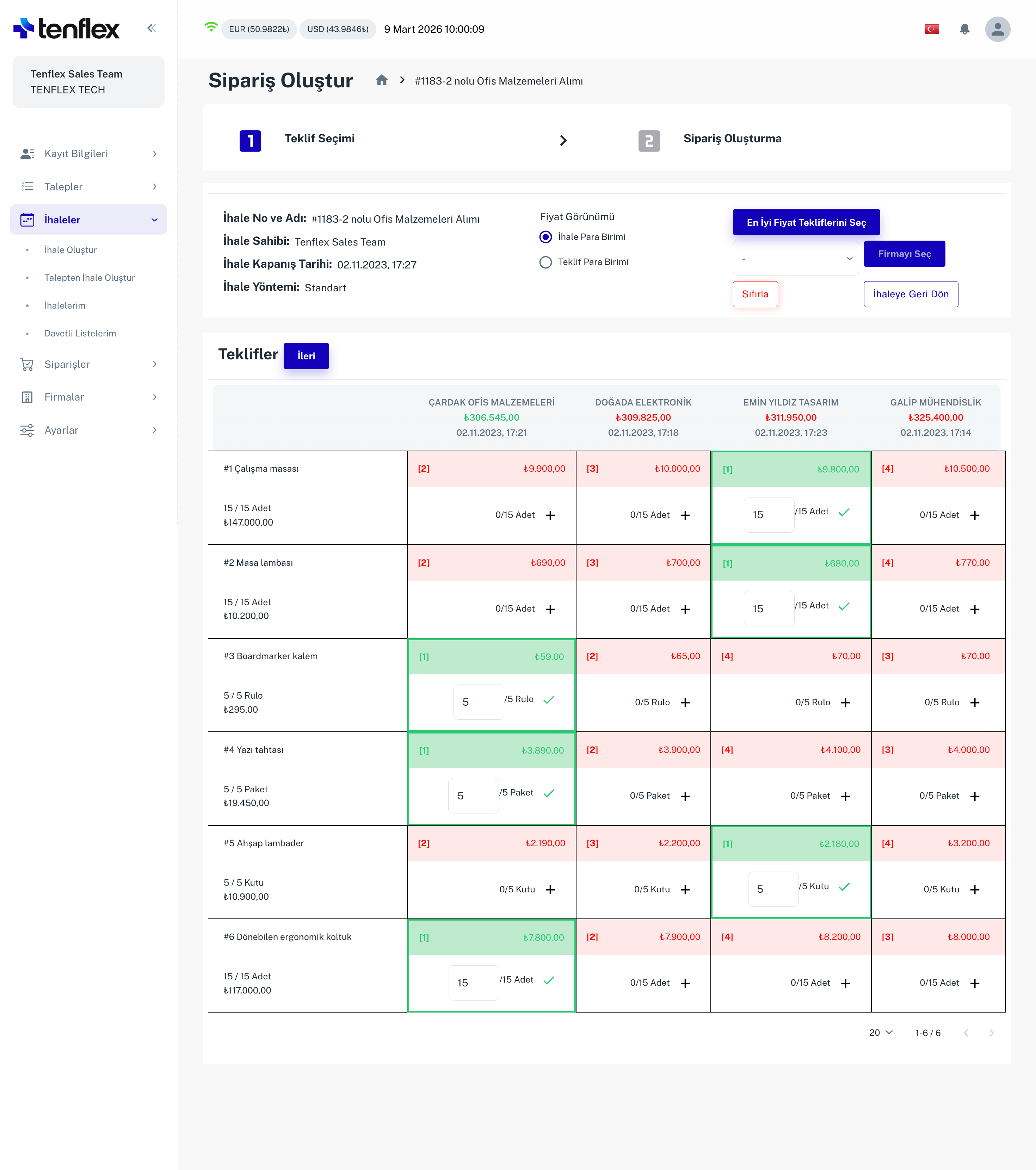
Easy Quote Selection
Select suitable suppliers and items directly from the quote comparison table. Adjust selected quantities on the same screen, then move smoothly from quotation selection to order creation.
Dynamic Approval Flow
Build flexible approval hierarchies around your organization. Route requests to the right people using rules based on amount, category or department, and follow each approval step.
All Features
Dashboard
View all your procurement data on a single screen.
Localization
Multiple languages and local time zones.
Invitation List
Easily manage the suppliers to be invited to the tender.
Email Notifications
Automatic email notifications for important events.
Security
Your data is safe with 256-bit SSL encryption.
Responsive Design
Works seamlessly on mobile, tablet and desktop.
Discover All Features
See all the features Tenflex offers in a live demo.